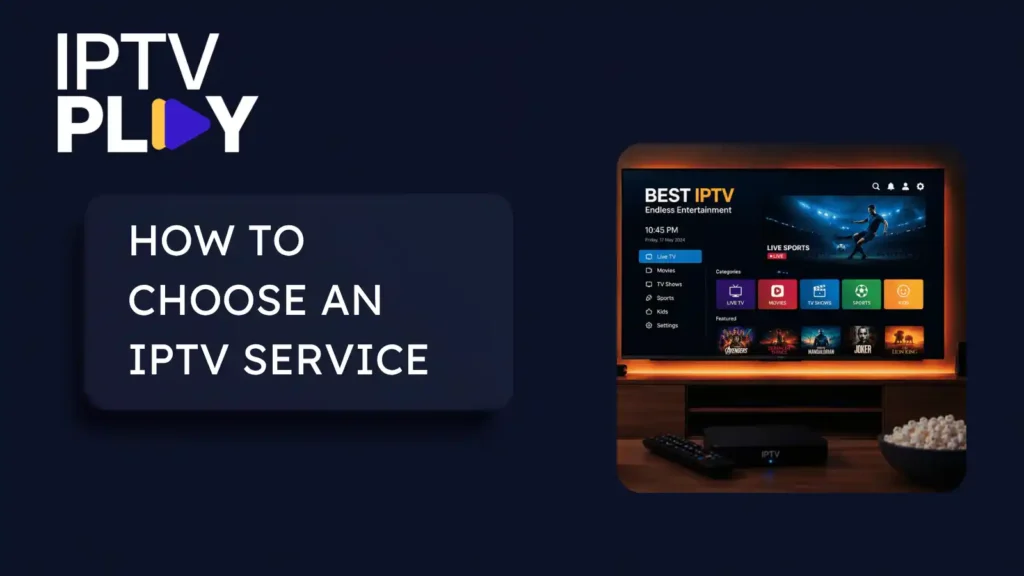
An IPTV service sells access to live TV channels and a library of films and series. It reaches you over your own internet connection, on devices you already own. What separates one service from another is not the channel count. It is device support, simultaneous streams, whether your channels play and guide quality. It is also on-demand and catch-up, support, and your recourse if it stops working.
This page walks through those criteria in the order to apply them. Then it shows you how to test them before you pay: before the trial, inside it, and at the checkout. We run one of these services ourselves, so where a criterion applies to IPTV Play we answer it too. That includes places where our answer is ordinary.
What you are buying with an IPTV service
An IPTV subscription is a login, not a box. What arrives is an Xtream Codes credential: a server address, a username and a password. Or it arrives as an M3U playlist link, or both. Either way, you type the details into a player app on your Firestick, Smart TV, phone, tablet or Android box.
Behind that login sit separate parts: live channel feeds, an on-demand library of films and series, and the TV guide. Behind it too: the number of streams that may play at once, and support. The guide is called an EPG, and it arrives as its own feed rather than as part of the channels. That detail matters later. Each part can be good or poor independently of the others. That is why choosing well means checking them one at a time.
You are not buying the hardware or the connection, and that matters more than it sounds. The phrase internet protocol television also covers systems where a telecoms operator carries TV over its own network. There, the operator manages the path end to end. A subscription IPTV service travels over the open internet instead, where nobody manages the path to your door. So your own line, your own Wi-Fi and your own device carry a large share of the outcome. Keep that in mind through everything below.
The criteria, in the order to check them
Work down this list in order. The first three are disqualifying: a wrong answer makes the IPTV service unusable for your household, whatever else is true. The middle three are matters of degree. The last three are the recourse checks made at the checkout. They come last in time, not last in importance.
1. Device and app coverage
If no player app runs on the television you actually watch, nothing else on this page matters. Many platforms take a standard login through a player from the device’s own app store. Support is not universal, though, and a route can close. Roku removed all non-certified channels on 23 February 2022, and players there now install from its Channel Store only. So the first check costs two minutes. Confirm a player exists for your exact device, in that device’s own store, before any trial and before any payment.
An IPTV Play login is a standard Xtream Codes credential with an M3U link alongside. That means it works in standard player apps. The device-by-device walkthroughs are on our setup guides page. Roku has its own guide because that platform allows exactly one route.
2. Simultaneous streams
An install and a connection are different things. The difference is usually discovered after paying, on the evening the second television mattered. An install is a device holding your login. A connection is a stream actually playing. A service can allow unlimited installs and still play one stream at a time. The wider streaming market meters it the same way. Netflix’s plan terms, for one, cap how many devices can watch at once rather than how many are signed in.
Ask support in writing before you pay how many streams can play at the same time. Ask, too, what happens on the second screen when the limit is reached. An answer about devices, when you asked about streams, is a poor sign.
Our answer, plainly: every IPTV Play plan includes one connection, meaning one stream playing at a time, with installs uncounted. A second simultaneous stream is something you ask support to add to your plan. Buying guides refreshed this year tell you to expect three or more connections included as standard. We do not meet that rule of thumb. If your household watches two screens at once every evening, price in the extra connection before you decide, not after.
3. Your own channels, carried and working
Before you look at any lineup, write down the channels you actually opened last week. Not the ones you would like to have, the ones you watch. That list is the test, and most of this article is a way of checking it.
A channel list is a text file of names and stream addresses. Nothing in that format proves a name plays. A dead entry and a live one look identical until you open them. So a lineup page tells you what a service intends to carry. Whether your channels work, at your hour, is answered by watching them, not reading about them.
Our lineup is browsable by category on the channels page. The same instruction applies to it: check your list against it, then check that your list plays. If a channel of yours is missing, ask. Requested channels are usually added within a few days.
If you are searching for US IPTV providers, that question has a practical version: the same test, with geography attached. Check whether the American networks and regional sports channels you watch are carried. Check too whether the guide shows times in your timezone, and whether support answers during your evening. The next two criteria cover the second and third parts.
4. Guide quality
The TV guide arrives as a separate feed, with a consequence no ranking page mentions. A service can have flawless streams and a broken guide, or a full guide over dead streams. The two fail independently. It also means “has an EPG” tells you almost nothing on its own. Now-and-next data with wrong times still counts as one.
The check takes five minutes in a trial. Scroll the grid forward a day, then several. Compare titles and times against a broadcaster’s published schedule on three or four programmes you know. IPTV Play includes a full 7-day TV guide on every plan, for all major channels. The honest reading of that sentence is that a smaller channel of yours might sit outside it. That is exactly why the check uses your list and not ours.
5. IPTV service support that answers
You are not testing whether support is friendly. You are testing whether a person answers a specific question, in your waking hours, before you depend on them. We could find no published benchmark for support response in this category. So the only measurement available is the one you take yourself. Send one question with a checkable answer during the trial, and time what comes back. The streams question from criterion 2 is ideal.
Check the stated hours against your own evening too. Ours are 8am to midnight UTC, seven days a week, by email and WhatsApp through the contact page. A person reads the message there, rather than a ticketing system. For a European evening that is full coverage. On the US west coast, midnight UTC lands in the late afternoon. So a late-evening question there waits for the next morning. That is the kind of detail worth checking about any IPTV service before you pay, ours included.
6. IPTV service on-demand and catch-up
The films-and-series library and catch-up are separate catalogues behind the same login, and they fail independently of the live channels. Catch-up in particular only exists where a service supports it on a given channel. So a working live stream tells you nothing about whether last night’s episode can be replayed.
On IPTV Play, every plan carries the same 60,000+ films and series. Catch-up, though, runs on top channels only and is not included on the 3 Months plan. Nor are 4K sport and pay-per-view, which start at 6 Months. If either matters in your house, the cheapest plan is the wrong one for you. Better that this page says so now than that you find out mid-term.
The last three criteria cost nothing to check and everything to skip. They live on the checkout page, and they decide what happens if the service stops working for you later.
7. Refund terms
A stated refund policy is your recourse when a service does not perform. For a product delivered as a login that works immediately, it may be the main recourse you have. Look for a published policy that states the window, the deduction, and which plan lengths it covers. A policy that exists only inside a support reply is not a policy.
Ours, plainly: refunds are available on the 6 Months and 1 Year plans, minus a 25% handling fee. Ask within 2 days of paying. The 3 Months plan cannot be refunded at all, so use the free trial before you buy it. There is no undoing it afterwards. The plans themselves are on the pricing page, and the refund policy page carries the full terms.
8. Payment method
How you pay decides what recourse you have if it stops working. An ordinary card payment through a normal checkout gives you a dispute route with your card provider. That route does not depend on the seller’s cooperation. A payment method with no dispute route gives you none. That is not a judgement about any seller. It is a fact about what you can do afterwards, and the checkout shows it plainly.
Here is what we can tell you from our own pages. Every IPTV Play plan is a single payment in US dollars, nothing renews automatically, and we never store a card. That also answers the cancellation question: there is nothing to cancel, because nothing renews. A plan runs its term and stops. Whatever service you are weighing, look at the payment step before you commit to it. Do that beforehand, not while you are completing the purchase.
9. A seller you can name and reach
A seller you can name and reach is a seller you have somewhere to go back to. Before paying, find who is selling, a contact route that reaches a person, and stated hours. Then use the route once, because the reply is the evidence.
Applied to us: the support address, the WhatsApp number and the hours are published, and a person reads what arrives. The test is the same one you would run anywhere, and the reply, not this paragraph, is the evidence. This criterion does not bend for the person writing it down.
The signals that look decisive and are not
The guides at the top of the search results run the other way from this page. They tell you to compare channel counts and look for a high uptime figure. They also say to expect three or more connections as standard. Guides refreshed this year still say all three. We disagree, and you deserve the reason. The connections advice is the one you can act on. It is a real number, and criterion 2 is how you check it. The other two look decisive and cannot be checked by you or anyone else. Two more signals fail the same test.
The channel count
Our own pricing page advertises 20,000+ live channels, so read this sentence carefully. A channel count is a weak reason to choose an IPTV service, ours included. Nobody audits these numbers. Even the category’s own promotional copy describes them as provider-reported rather than independently verified.
The counts also inflate honestly. Published satellite listings show BBC One appearing as 16 regional variants in the guide. Once HD and SD copies are counted separately, that is one channel, defensibly more than thirty entries, no dishonesty required. Households have long received far more channels than they open. Nielsen measured the average US home receiving 205.9 channels and watching 19.8 of them in 2016. Its 2019 figures put the share tuned at under 7%. Those numbers are old and they describe US television households rather than IPTV lineups, but nothing newer is public. The count is not meaningless. It is unaudited and undefined, which is different. The number that matters is the one from criterion 3: how many of your channels play.
The uptime percentage
No consumer streaming operator we could find publishes an audited availability figure. Netflix’s terms carry no availability commitment at all: they attribute picture quality to your location, bandwidth and device instead. For an uptime percentage to mean anything, it needs a defined measurement point and a defined window. It also needs a remedy when missed, which consumer streaming does not supply. So a guide telling you to look for a high uptime number hands you an instruction. It is one you cannot carry out. There is nothing to look at, only claims. Treat every uptime figure in this category, whoever prints it, as marketing rather than measurement.
The price, in either direction
A low price tells you what you will pay. It does not tell you what sits behind the stream at nine o’clock on a Saturday. And we found no public data linking price to delivered performance in this category, in either direction. Expensive is not evidence of quality, and cheap is not evidence of its absence. Price is not one of the nine criteria for a reason. It is the number you can read, not the number you can check.
The “works on all devices” claim
Unfalsifiable on a sales page and disprovable in two minutes on your own hardware. Platform support is a real binary with real closure dates. Roku narrowed to its Channel Store in 2022. The claim worth trusting is a named player app, in your device’s own store, that you have opened yourself.
Testing an IPTV service inside the trial window
The one piece of advice those guides and this page share is to use the free trial. What they do not give you is a method, so here is one. It costs somewhere between 35 and 50 minutes of attention across one evening. The first parts happen before the trial starts ticking.
Check the trial’s own terms first
The trial is a criterion too. Does one exist, is it the full service or a cut-down list, and does it take a card? A full-service trial is the only kind that tests what you would actually be paying for. A card-free one means nothing can convert into a charge you did not choose. The IPTV Play trial is the full service for 24 hours with no credit card. That also means you get exactly one evening, so start it on a day you actually watch.
Do the prep before you request it
Write your channel list from criterion 3, which takes five minutes. Confirm your device runs a player from criterion 1, which takes two. Both are wasted time once the window is open.
Pick the right evening
Test at your own peak hour, meaning the hour you actually watch. Home connections are busiest mid-evening. Ofcom, the UK regulator, measured the home-broadband peak at 8pm to 10pm in its last such study, from March 2023. If your viewing is Saturday-evening sport, a Tuesday-afternoon trial has told you nothing.
Test on the real screen
Run the trial on the television you will actually watch, not on a phone next to the router. A 2023 study took thousands of measurements across more than 50 homes. It found the home’s own Wi-Fi was the bottleneck 100% of the time on connections above 800 Mbps. Where you measure matters more than what you measure.
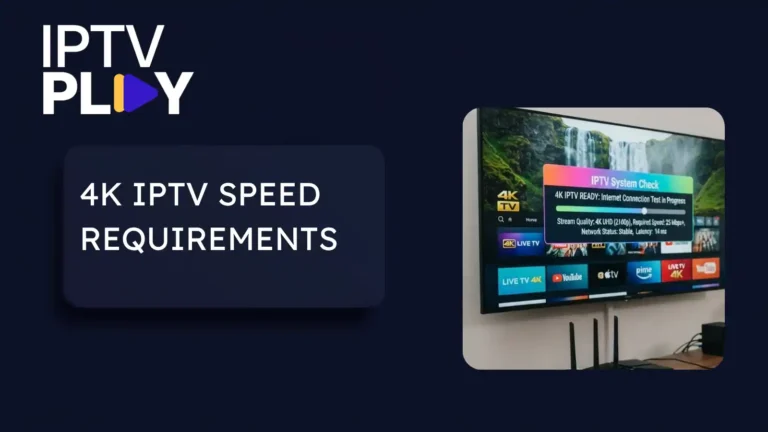
While you are on that screen, run a speed test on it. We recommend at least 15 Mbps for steady Full HD and 25 Mbps or more for 4K. Published guidance differs at the top tier. Netflix asks for 15 Mbps or higher for 4K where YouTube asks for 20. So treat any figure as a per-stream minimum and leave headroom.
Then work through the evening in order
- Open every channel on your list and watch each long enough to see whether it holds. Fifteen to twenty minutes. A dead entry looks identical to a live one until this moment.
- Scroll the guide forward a day, then several, and check three or four programmes against a published schedule. Five minutes.
- Open one film and one catch-up programme. Five minutes. They are separate catalogues and they fail separately.
- If your household needs a second simultaneous stream, start one on another device and watch what happens. Two minutes. Whatever happens on that second screen, you now know the limit before you are depending on it.
- Message support one specific question. Two minutes to send. Note when the reply arrives and whether it answers what you asked.
Before you pay, run the checkout checks
Criteria 7 to 9 cover three things: the refund window and its deductions, and which plans it covers. They also cover how payment is taken, and whether the seller is named and reachable. Five minutes, and they are the checks you will wish you had made if anything changes later.
The limits worth knowing before you decide
Three limits, and they apply to every IPTV service, ours included.
A large share of what you experience is yours, not the provider’s. Your line, your Wi-Fi and your device sit between every stream and your screen. No operator can fix them from their end. The Wi-Fi study above is the measured version of this. Netflix’s own terms are the plain-language one: they attribute picture quality to your location, bandwidth and device. If your connection is marginal, an IPTV subscription will disappoint you, ours as much as anyone’s. Switching providers will not change that.
No service can prove perfect uptime, ours included. The audited figure that would settle it does not exist anywhere in consumer streaming. What you can evaluate is what happens when something goes wrong: whether support answers, and whether your recourse holds. That is why criteria 5 and 7 to 9 are on the list at all.
A trial is a sample, not a guarantee. One evening, on one connection, on the channels you happened to check. A good trial evening is evidence, but it is not proof of the months that follow. Testing at your own peak hour narrows the uncertainty. Nothing removes it, and a page that told you otherwise would be selling to you rather than informing you.
Making the decision
The question underneath all of this is the one people actually type: is an IPTV subscription worth it? It depends on whether the channels you watch play at your hour, and whether your own connection can carry them. It also depends on what recourse you hold if they stop. All three are now checkable, and none of them is answered by a headline number.
If the trial evening went well, weigh it for what it is: strong evidence from a small sample. If it went badly, work out which side the failure sat on before blaming anyone. A stream that stumbles on Wi-Fi three rooms from the router is not a verdict on the service. A channel missing from your written list is not a verdict on your broadband. Then match the plan length to your confidence. Remember the shortest plan cannot be refunded, so let the trial do the work before money moves.
FAQ
How many devices can I use with one IPTV service?
Install your login on as many devices as you own. Installs are not what is counted. What is metered is connections, meaning how many streams play at once. Every IPTV Play plan includes one connection, and a second can be added by asking support. If the real question is whether two rooms can watch at the same time, here is the answer. On any service, that is only true if your plan carries that many connections.
Which IPTV service has the most channels?
Nobody can honestly tell you. The counts are provider-reported, and no independent body audits them. One channel can legitimately appear as dozens of entries, once regional variants and HD and SD copies are counted. The useful question is smaller. Does the service carry the channels you actually watch, and do they play at your hour? A list you wrote yourself answers that inside one trial evening.
What internet speed do I need for an IPTV service?
We recommend at least 15 Mbps for steady Full HD and 25 Mbps or more for 4K. The large streaming operators publish their own guidance, and it disagrees at the top tier. Netflix asks for 15 Mbps or higher for 4K and YouTube asks for 20. So treat any published figure as a per-stream minimum and leave headroom. Measure on the device you watch on rather than a phone beside the router. A home’s own Wi-Fi is frequently the real ceiling.
Do I need a Smart TV for an IPTV service?
No. A player app runs on a Firestick, an Android box, a phone, a tablet, a computer or an Apple TV. One login covers every screen you own, one stream playing at a time. What matters is that a player exists for the device you have, in that device’s own app store. Check that before paying, not after.
Why does IPTV buffer in the evening but not the afternoon?
Evenings are when your household and your neighbours are busiest online. That is exactly why this page says to test at your own peak hour. An IPTV service that holds at 9pm on your connection has told you more than any afternoon could.
The next step
Every criterion above collapses into the same instruction in the end. Watch your own channels, at your own peak hour, on your own screen, and check your recourse before you pay. The 24-hour free trial exists so you can do that with the full service, without a card, tonight. Write your channel list first, then request the trial on a day you actually watch.